How can I exclude bots from traffic statistics?
The module provides a list of bots to exclude from its statistics. This exclusion does not prevent bots from visiting your store and does not block their access to the server.
- In the module configuration, open Robots.
- At the bottom of the page, expand User Agent list. The Visits in the last 6 month column counts records still available for that period.
- Examine the most frequent user agents. High volume alone does not prove that a visitor is a bot: identify its name before excluding it.
- Under Add robot to exclude, enter its name in Robot name, then save.
For example, in Mozilla/5.0 (compatible; AhrefsBot/7.0; +http://ahrefs.com/robot/), the name is AhrefsBot. You can verify its identity in Ahrefs’ official documentation.
Future visits matching the excluded name are no longer collected by the module’s script. Adding a name does not remove visits already recorded.
If the bot overloads your store, ask your hosting provider to review its access: the module’s setting acts on statistics.
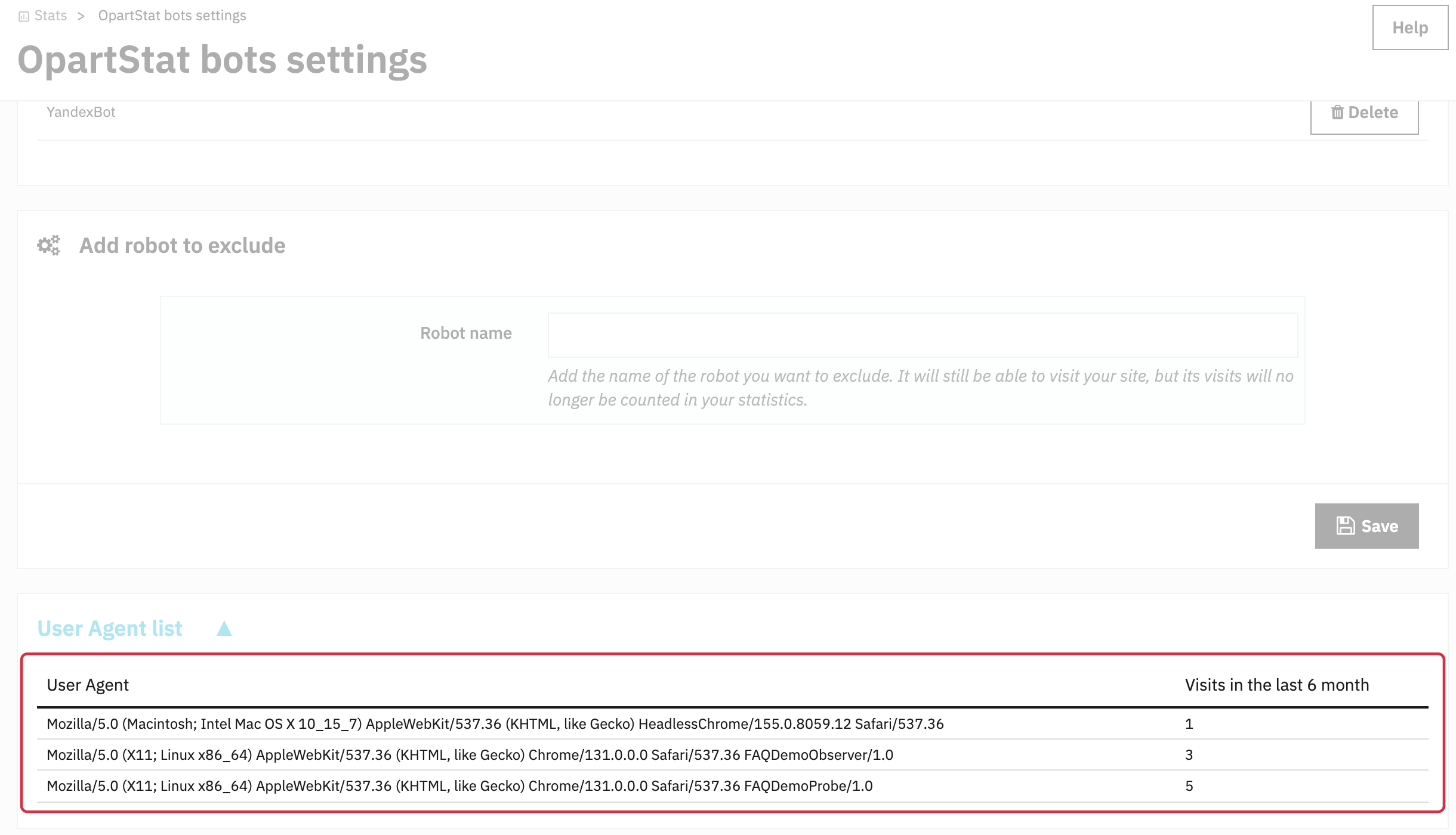
Fictitious example: the expanded list shows user agents and retained records over the last six months. Adding a robot to the exclusion list does not remove its earlier records.