How to remove the module from the payment page?
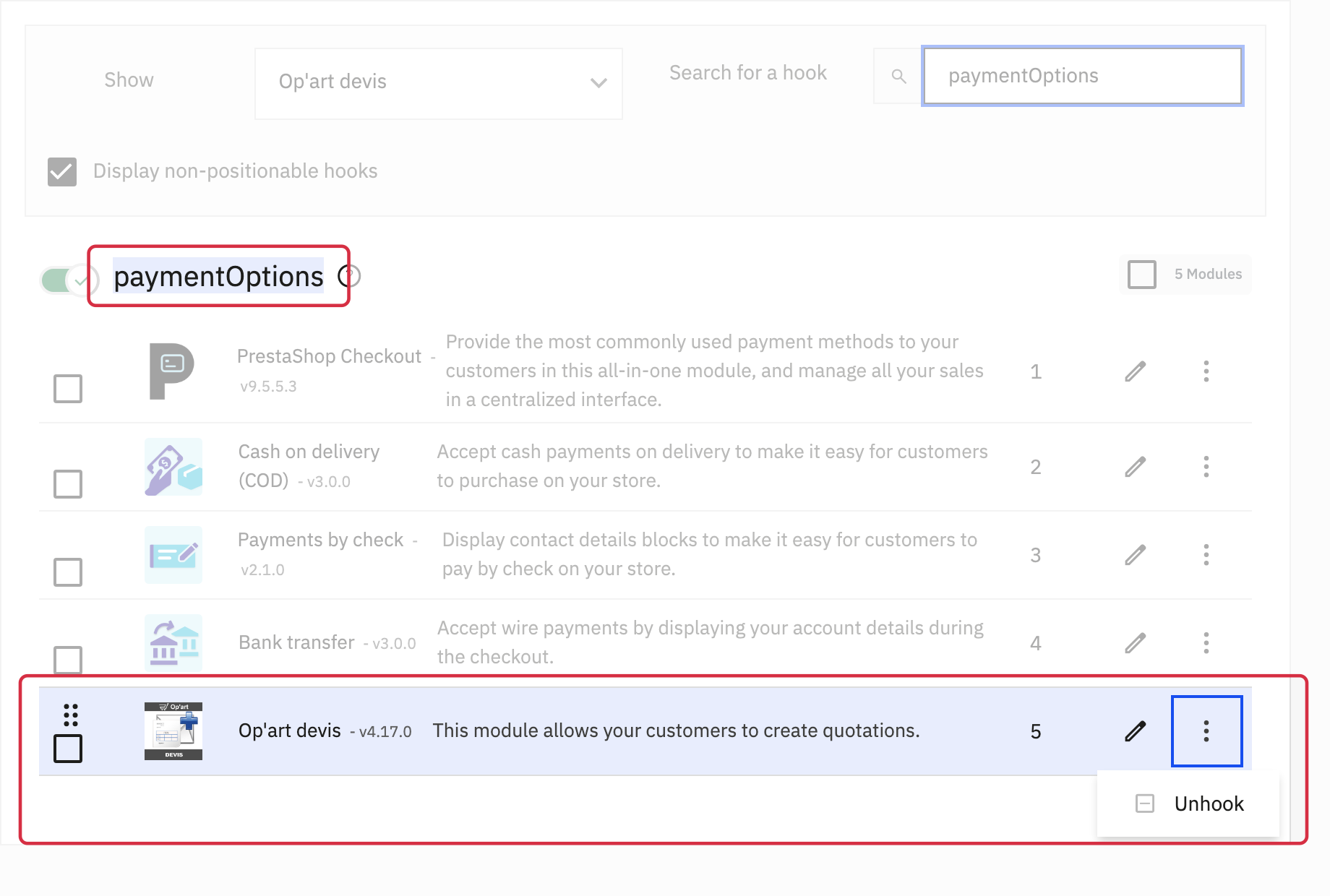
To remove only the quotation option from the payment step, unhook the module from paymentOptions.
- Open Design > Positions in PrestaShop and filter by the module.
- Enable Display non-positionable hooks, then search for
paymentOptions. - On the module’s row in this section, open the menu beside Edit and choose Unhook. Do not disable the entire hook: it may also contain your payment modules.
Check the result with a test cart at the payment step. The module remains active; its other placements, including cart and customer-account links, are managed separately. To hide other links, see using the module from the back office.
Other FAQs in this category
- Is it possible to add out-of-stock products to the quote?
- Is it possible to modify the quotation numbers?
- Carriers and/or the customer list do not load
- How to remove links from the left column?
- Why does the expiration date not appear on the PDF?
- Is it possible to add text that will appear on all PDFs?
- Can the module be restricted to a customer group?