How to create an access on Google Cloud Console?
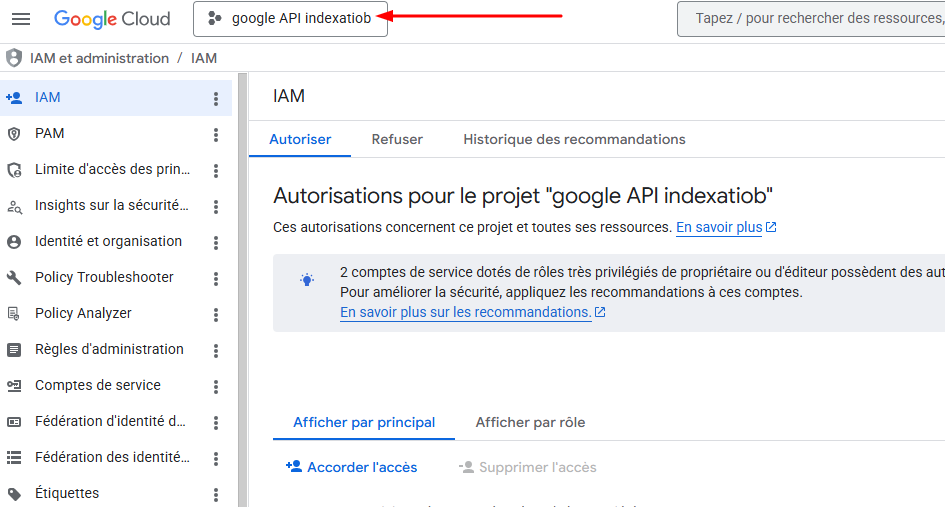
Once logged into the cloud console, you must select the correct project at the top left.
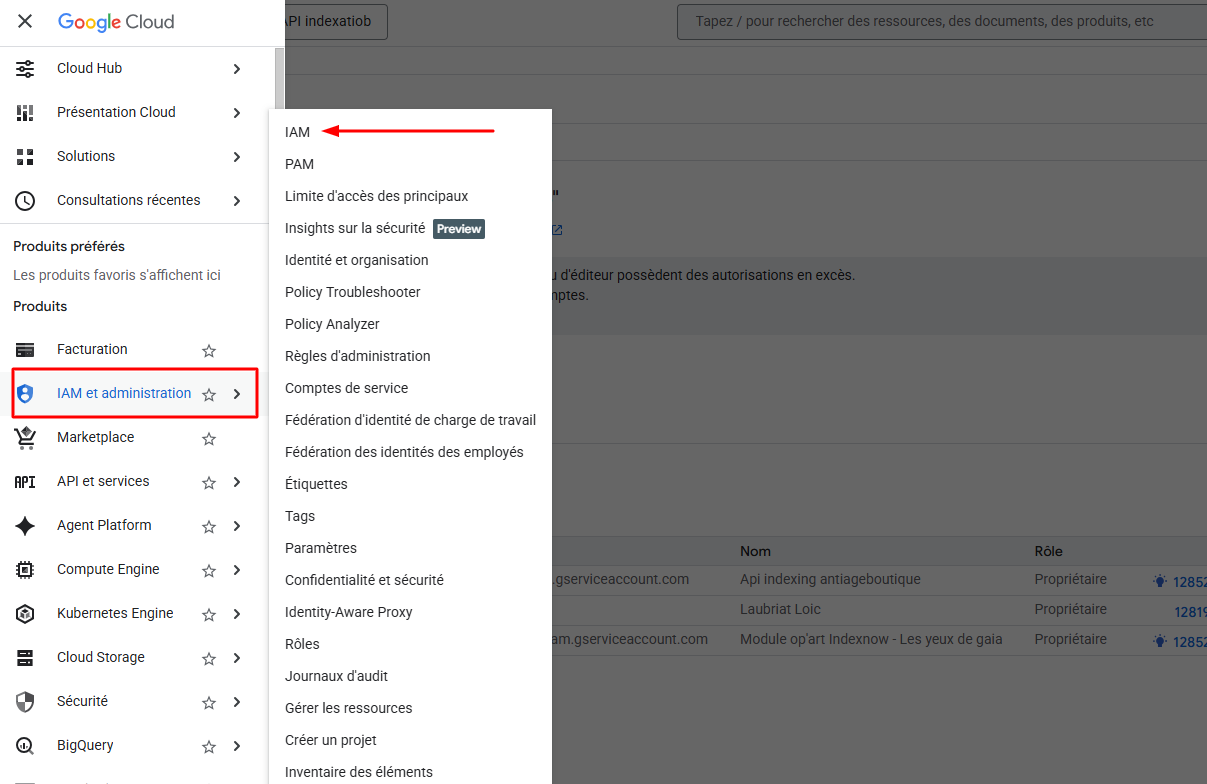
Then you must go to the left menu: IAM and Admin → IAM
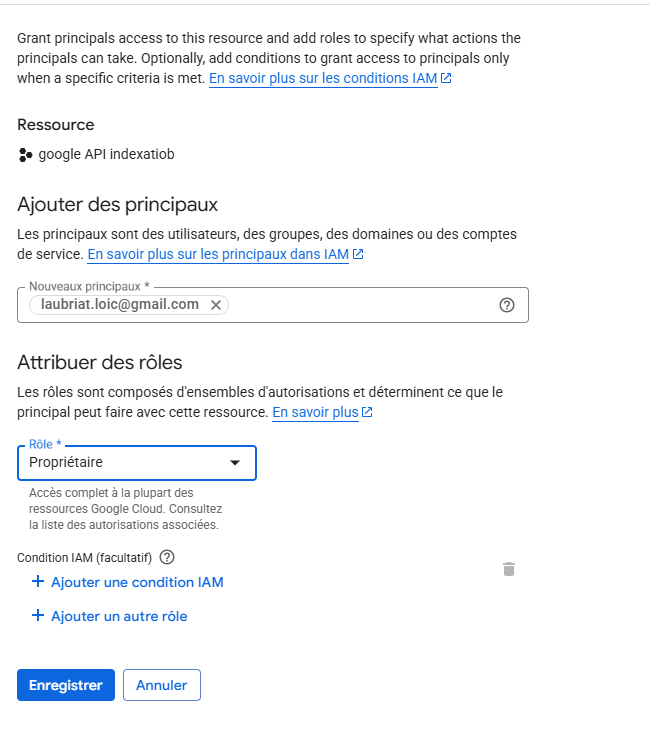
Then click Grant Access by indicating the email we provided you with the Owner role.