The popup does not appear on my site, why?
There are many reasons why the popup might not display.
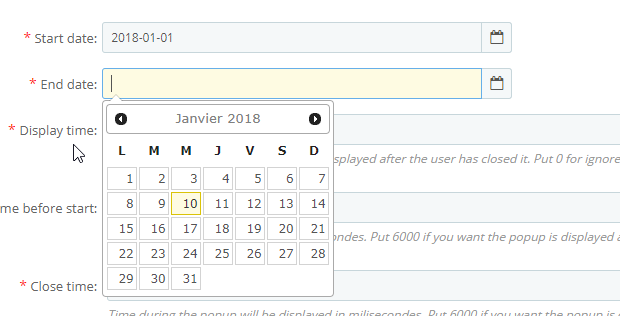
1. Check the dates
In your popup configuration, verify that:
- Start date: is a date in the past relative to today's date.
- End date: is a date in the future relative to today's date.
2. The cookie
The cookie allows the module, based on your settings, to determine whether it should re-display the popup to a user if they have already seen it.
When testing, it is important to set the cookie duration to 0 so that it is not taken into account.
3. Check the display pages
You must also ensure that you are visiting a page on which the popup is supposed to display.
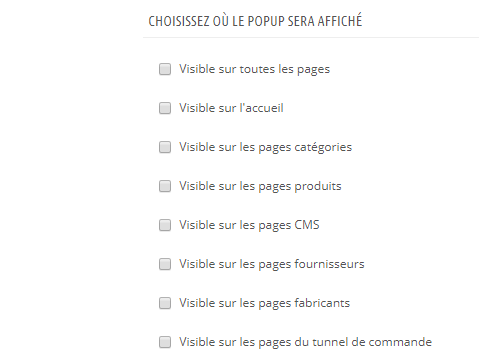
If you are unsure, check the "Visible on all pages" box to verify if the popup displays correctly, regardless of the page you visit.
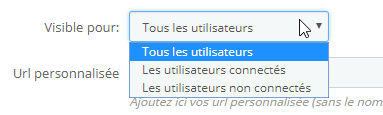
4. Check the user setting
You must also ensure that when you visit your site, you correspond to a user authorized to see the popup.
If you are unsure at this level, you can set the "Visible for" field to "All users".
5. Clear your browser's cache and cookies.
It is possible that even with the cookie duration set to 0, an old cookie (from a previous setting) is still active in your browser.
In this case, the solution is to clear your browser's cache and cookies.
You can find explanations for your browser on this site:
https://www.astuces-aide-informatique.info/720/vider-cache-navigateur